Finance

Classic Loan Calculator 2

Loan planning across Mac, iPhone, and iPad.

Compare the loan before it becomes a commitment.

Classic Loan Calculator 2 brings the loan-planning workflow into one cross-device app. Calculate monthly payments, review amortization, compare loan options, sync scenarios with iCloud, and test whether spare cash is better used for payoff or investing.

Download on the App Store from €9.95 · Apple converts at checkout
macOSiPhoneiPad

At a glance

A cross-device loan planner for practical payment and amortization checks.

Best for
  • People comparing mortgage, car-loan, or personal-loan scenarios.
  • Users who want payment, interest, and amortization visible together.
  • Anyone who wants the same loan calculator on Mac, iPhone, and iPad.
Not for
  • Users who need financial advice or lender-specific approval decisions.
  • People who only need a one-time browser calculator.
Price

Paid App Store product. Apple shows final localized pricing at checkout.

Platforms

One planning workflow across Mac, iPhone, and iPad.

Open the App Store listing to review the current version, screenshots, and purchase details.

Current version 2.0 (15 December 2025)
Latest update 15 December 2025
Availability macOS, iPhone, iPad
Price €9.95
Initial release 15 December 2025
Support Dedicated support and privacy pages

What it solves

The daily friction it removes

Loan decisions are hard to compare when monthly payment, interest cost, amortization, and payoff alternatives live in separate spreadsheets or browser calculators.

Best for

Who should look at it first

Mortgage, car-loan, and personal-loan planningPeople comparing loan terms before a financial decisionUsers who want the same calculator on Mac, iPhone, and iPad

Latest update

Current release snapshot

Classic Loan Calculator 2 is currently listed as version 2.0, updated 15 December 2025, and available on macOS, iPhone, iPad.

Use cases

Where it should earn its place.

Loan comparison

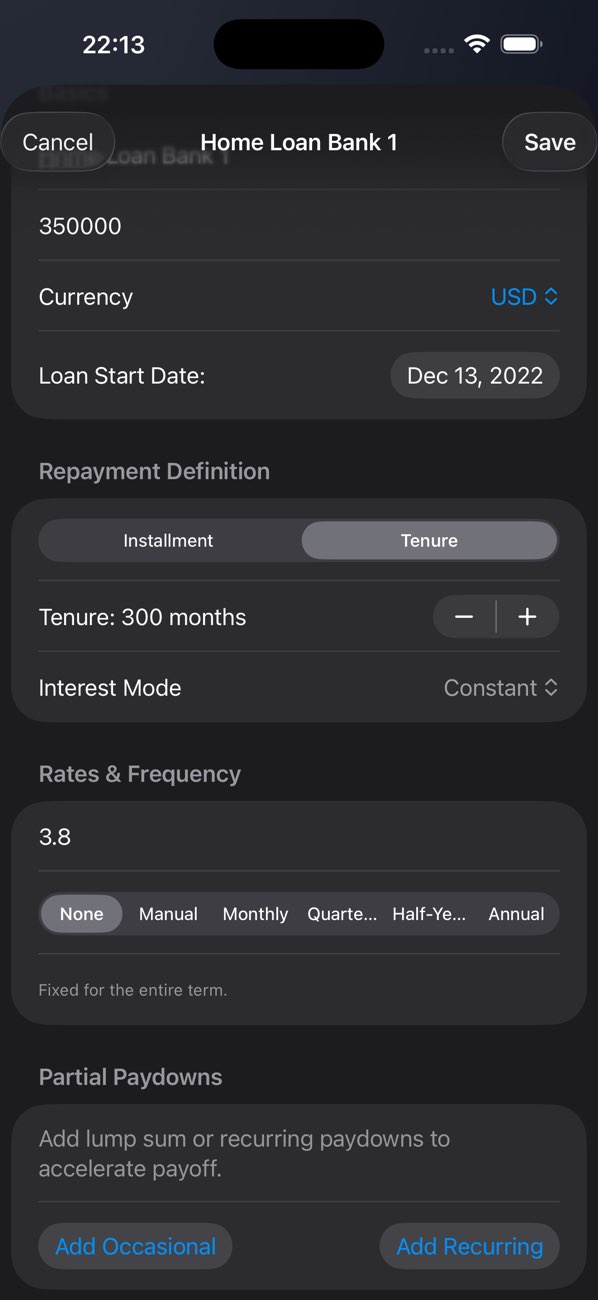
Compare payment, term, and interest assumptions before choosing a financing path.

Amortization clarity

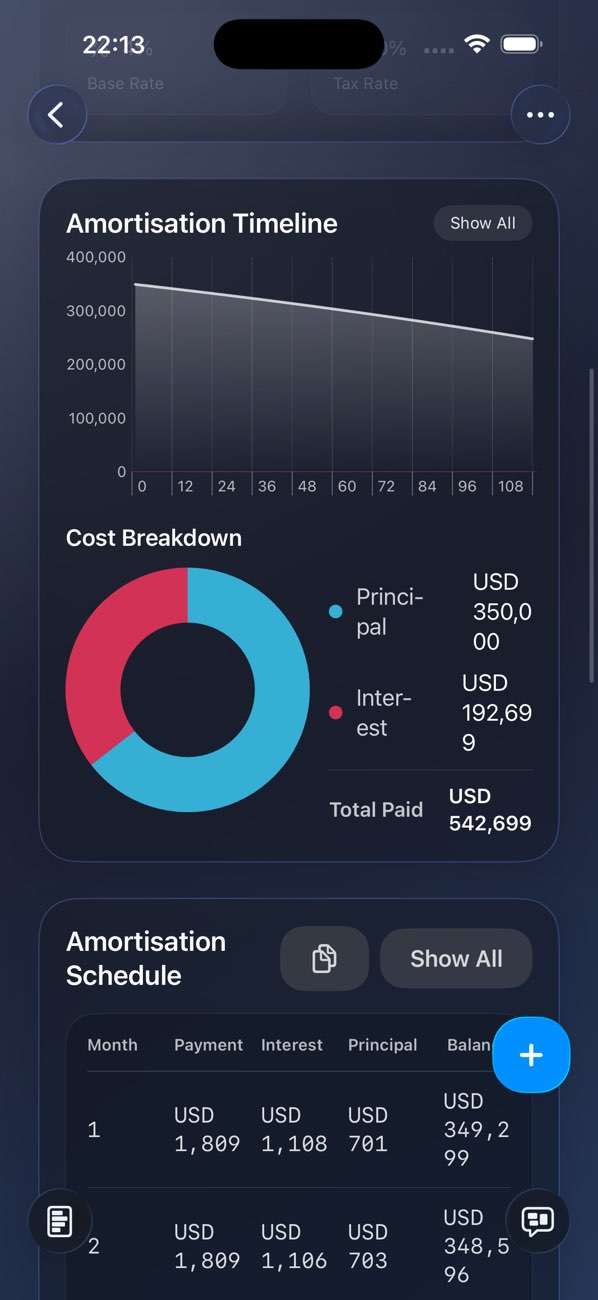
See how each payment affects principal, interest, and long-term cost.

Spare cash decisions

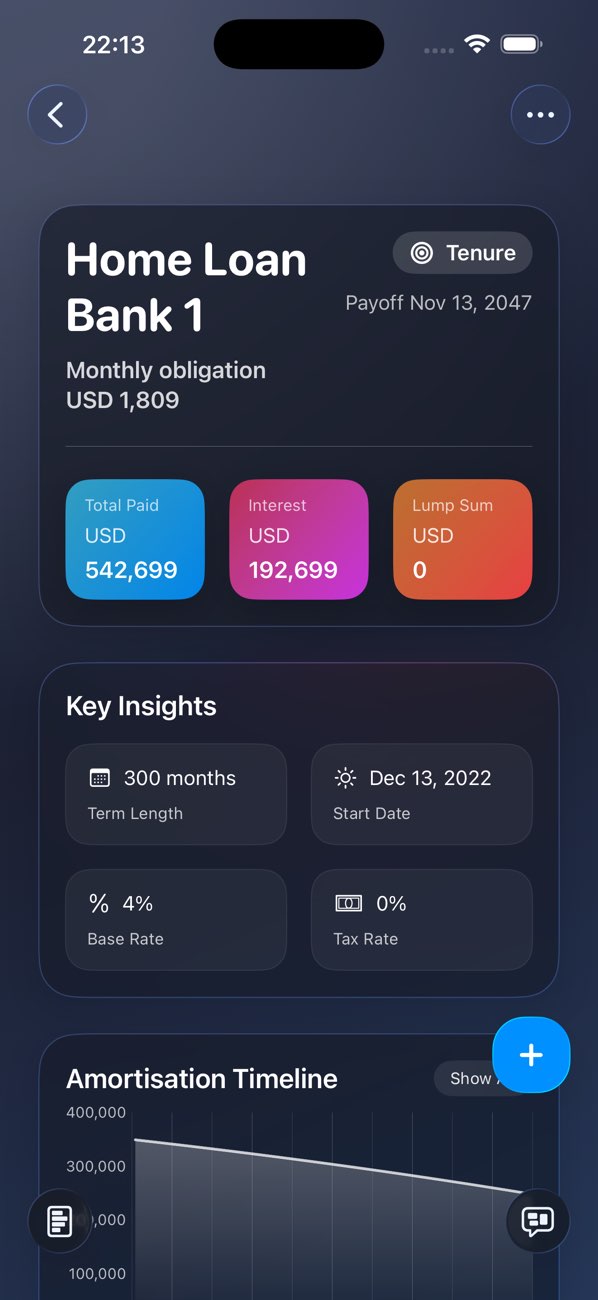
Model whether extra money should go toward repayment or another scenario.

Loan calculator family

Which loan app should you choose?

These listings overlap by name. For first-time buyers, start with Classic Loan Calculator 2 unless you specifically need one of the older focused versions.

Classic Loan Calculator 2 icon
Recommended for new users

Classic Loan Calculator 2

Newest unified loan planner for Mac, iPhone, and iPad, with the clearest upgrade path.

Platforms
macOS, iPhone, iPad
Price
from €9.95
You are here
Classic Loan Calculator icon
Classic Mac version

Classic Loan Calculator

Original Mac-focused calculator for users who specifically want the older desktop product.

Platforms
macOS
Price
from €14.99
Compare this version
Classic Loan Calculator Mobile icon
Mobile legacy option

Classic Loan Calculator Mobile

Older mobile-focused calculator for quick payment checks on iPhone and iPad.

Platforms
iPhone, macOS, visionOS
Price
from €7.99
Compare this version

Benefits

Why it earns space on your device

01

Calculate monthly payments from principal, rate, and term.

02

Compare loan scenarios side by side before committing.

03

Review amortization so total interest cost is visible.

04

Sync calculations across Mac, iPhone, and iPad with iCloud.

Screenshots
Take a closer look

Preview 1 Compare payment, term, and interest assumptions before choosing a financing path.
Preview 2 See how each payment affects principal, interest, and long-term cost.
Preview 3 Model whether extra money should go toward repayment or another scenario.

Privacy

Clear privacy route before install.

Classic Loan Calculator 2 has a dedicated privacy page on this site. The table below separates website handling from app/store handling so visitors do not have to guess.

Read privacy details

FAQ

Questions before you click through.

Does it replace the older Classic Loan Calculator apps?

It is the newer unified product page for Mac, iPhone, and iPad. Keep the older pages available for existing users, but send new visitors here first.

Does it sync across devices?

The App Store description lists iCloud sync for keeping calculations available across supported Apple devices.

Is this financial advice?

No. It is a calculation and scenario-planning tool. Confirm final loan decisions with your lender or financial professional.

Next step

View on the App Store.

Purchases, downloads, updates, and refunds are handled by Apple for this listing.